

The most reliable way to share documents securely is to combine encrypted transfer (TLS in transit, AES-256 at rest) with granular access controls, then layer on audit logging so you always know who opened what and when. For high-stakes files — legal, estate, or financial records — add end-to-end or zero-knowledge encryption and require recipient verification before the link even opens.
Start here. Every secure share should include:
-
MFA enabled on your account and, where possible, required of the recipient
-
Link expiration set to the shortest window the workflow allows
-
Recipient verification via email check or password delivered through a separate channel
-
Audit trail active so you can confirm access and revoke instantly if needed
-
AES-256 at rest + TLS in transit as the baseline encryption standard
Platforms certified to ISO 27001 or SOC 2 have had these controls independently verified. GCA-FopFo’s Full Option Family Office suite applies these baseline standards AES-256 at rest, TLS in transit, and MFA - to family and advisory workflows (S)C2 readiness is in progress).
Table of Contents
-
What security features should every sharing solution include?
-
How do you choose the right secure document sharing solution?
-
Comparing popular secure document sharing tools: pros and cons
What security features should every sharing solution include?
A solution that checks only some of these boxes is not fully secure. Look for all of them:
- Download and view limits — to cap exposure
For enterprise environments, add SSO, SCIM provisioning, MFA enforcement, and US-based data residency. Capsule’s feature set — which includes optional E2E encryption, expiration, view limits, password and email verification, and real-time tracking — illustrates what a purpose-built secure-sharing tool looks like in practice.
Pro Tip: Audit logs are not just a compliance checkbox. For regulated workflows (legal, financial, medical), a timestamped access trail is often the only evidence that a document was reviewed by the right person at the right time.
How does secure document sharing actually work?
TLS encrypts the connection between your browser and the server, so the file cannot be read while it moves across the network. AES-256 encrypts the file on the server’s storage, so even a physical breach of the data center does not expose readable content.
End-to-end encryption (E2E) goes further: the file is encrypted on your device before it leaves, and only the intended recipient’s key can decrypt it. The server never holds a readable copy. Zero-knowledge means the provider itself cannot read your files. The trade-off is real: E2E removes the provider’s ability to index, search, or recover files, which matters for enterprise workflows that depend on e-discovery or server-side features.
Access controls work through tokenized links or account-based permissions enforced server-side. A tokenized link carries an embedded credential; the server checks it on every request and can invalidate it instantly. Account-based sharing ties access to a verified identity, which is stronger but requires the recipient to have an account. Microsoft’s OneDrive and SharePoint permission model demonstrates both approaches: “anyone” links for convenience and “specific people” links for control.
Pro Tip: Choose E2E for personal financial records, estate documents, or anything involving a named individual’s private data. For team workflows that need server-side search, indexing, or compliance archiving, managed encryption (AES-256 at rest + TLS) with strong access controls is the practical standard.
How do you choose the right secure document sharing solution?
Ask every vendor these questions before committing:
-
What encryption standards do you use in transit and at rest?
-
Do you offer end-to-end or zero-knowledge encryption, and for which plans?
-
How granular are your audit logs, and how long are they retained?
-
Can I revoke access instantly without deleting the file?
-
Where is data hosted, and do you offer US-based residency options?
-
Which compliance certifications do you hold (SOC 2, ISO 27001, HIPAA)?
-
Do you support SSO and MFA enforcement at the admin level?
Red flags to walk away from: no audit logs, no link expiration or revocation controls, vague encryption claims (“military-grade” with no named standard), no MFA or SSO integrations, opaque data residency, and no independent compliance attestations.
Pro Tip: Ask for the vendor’s SOC 2 Type II report, not just a badge. A Type II report covers a period of time and tests whether controls actually operated — a Type I only confirms they exist on a single date. Also request an encryption whitepaper and a named security contact for incident response.
For enterprise teams, Microsoft’s M365 governance architecture shows how identity groups, Teams, and SharePoint map to access control and data residency patterns — a useful reference when evaluating how a vendor’s model compares.
Which sharing method fits your situation?
| Use Case | Sensitivity | Must-Have Controls | Optional Extras |
|---|---|---|---|
| Personal (photos, receipts) | Low | TLS in transit, password-protected link | Link expiration |
| Small-business collaboration | Medium | AES-256 at rest, MFA, view/edit permissions, audit logs | SSO, link expiration, view limits |
| Regulated / high-stakes (legal, M&A, estate, medical) | High | E2E or zero-knowledge, MFA, email verification, real-time audit trail, instant revocation | DLP integration, US data residency, SOC 2/ISO 27001 certification |
For finance and insurance professionals, the regulated tier is the baseline, not the premium option. A mis-sent estate document or an unrevoked link to a client’s tax return carries real legal exposure.
What does secure document sharing cost in the U.S. market?
Pricing varies significantly by tier and use case. Here is what to expect:
| Category | Typical Entry Price | Storage / Limits | Key Features Included |
|---|---|---|---|
| Consumer vault / lifehub | Low monthly fee | Personal document storage | AES-256, TLS, MFA, role-based sharing |
| Password manager (add-on) | Low monthly fee | Credential + document storage | Encrypted vault, MFA, basic sharing |
| Team / business plan | Moderate monthly fee | Varies by plan | Audit logs, SSO, admin controls, expiration |
| Specialized secure-sharing platform | Custom pricing | Varies | E2E option, real-time tracking, DLP, compliance certs |
Quicken LifeHub uses AES-256 at rest and TLS 1.2+ in transit with MFA and role-based sharing, and positions itself as a household document vault at a consumer price point. That combination of encryption standards and role-based access is the minimum worth paying for, regardless of tier.
Free tiers typically omit audit logs, link expiration controls, and admin governance — the features that matter most for professional or regulated use. If your workflow involves client data, estate documents, or financial records, a paid plan is not optional.
Comparing popular secure document sharing tools: pros and cons
No single tool wins every scenario. The right choice depends on your workflow, sensitivity level, and compliance requirements.
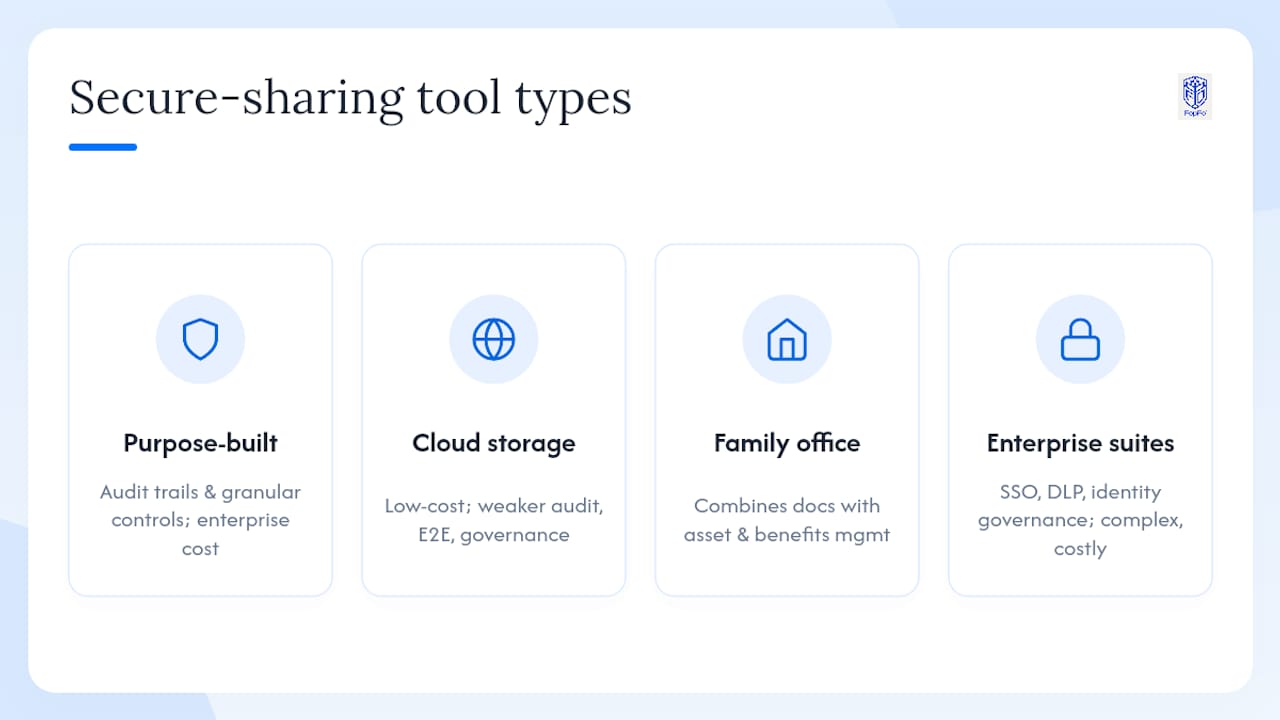
Purpose-built secure-sharing platforms (such as those focused on virtual data rooms and deal workflows) offer real-time audit trails, granular link controls, and document tracking for high-stakes environments. The trade-off is cost: these platforms price for enterprise use cases, not casual sharing.
General cloud storage with sharing features covers most personal and small-business needs at low cost. The gap shows up in audit log depth, E2E options, and admin governance — areas where purpose-built tools pull ahead.
Integrated family-office platforms like GCA-FopFo’s suite keep your asset, currency, and benefits records in one encrypted system, with a zero-knowledge (passphrase-encrypted) backup-and-sync path for moving your data securely between machines. It is not a data-room / link-sharing tool - for external file sharing with expiring links, pair it with a purpose-built platform.
Enterprise collaboration suites (built around identity management, SSO, and DLP) are strong for large organizations but carry complexity and licensing costs that exceed most family-office or small-business needs. Microsoft Teams’ secure collaboration setup is a solid reference for what enterprise governance looks like, even if the full stack is more than most readers need.
For a deeper look at what separates a purpose-built secure document platform from generic storage, this overview of secure document platforms covers the key distinctions clearly.
Key Takeaways
Encrypted document sharing requires TLS in transit, AES-256 at rest, granular access controls, and a live audit trail — every time, for every sensitive file.
| Point | Details |
|---|---|
| Encrypt at every layer | Use TLS in transit and AES-256 at rest as the non-negotiable baseline for any file share. |
| Control access precisely | Set link expiration, view limits, and recipient verification before sending any sensitive document. |
| Keep an audit trail | Active audit logs let you confirm access, catch unauthorized views, and revoke instantly. |
| Enable MFA always | MFA on your account protects the source; require it of recipients for regulated data. |
| GCA-FopFo for family-office workflows | GCA-FopFo’s suite (Familigi™, BoxAlong™, Currencida™, SEBAA™) delivers role-based access, MFA, per-account data isolation, activity/audit logging, and zero-knowledge encrypted backup/sync in one platform (external link-sharing with expiry is not offered). |
The trade-off most guides skip over
The honest tension in secure document sharing is not between “secure” and “insecure.” It is between control and convenience, and most people underestimate how quickly convenience erodes the controls they just set up.
End-to-end encryption is the strictest option, but it removes server-side features your workflow may depend on: search, indexing, e-discovery, and recovery. Managed encryption with strong access controls is the practical standard for most professional workflows, and it is genuinely strong when implemented correctly. The mistake is treating it as a compromise rather than a deliberate, well-reasoned choice.
For professionals handling client material, my recommendation is to default to the conservative side: set shorter expirations than you think you need, require email verification even for trusted recipients, and treat audit logs as a routine check rather than an incident-response tool. The extra friction is small. The cost of a mis-sent document to the wrong party is not.
GCA-FopFo gives your family office a secure foundation
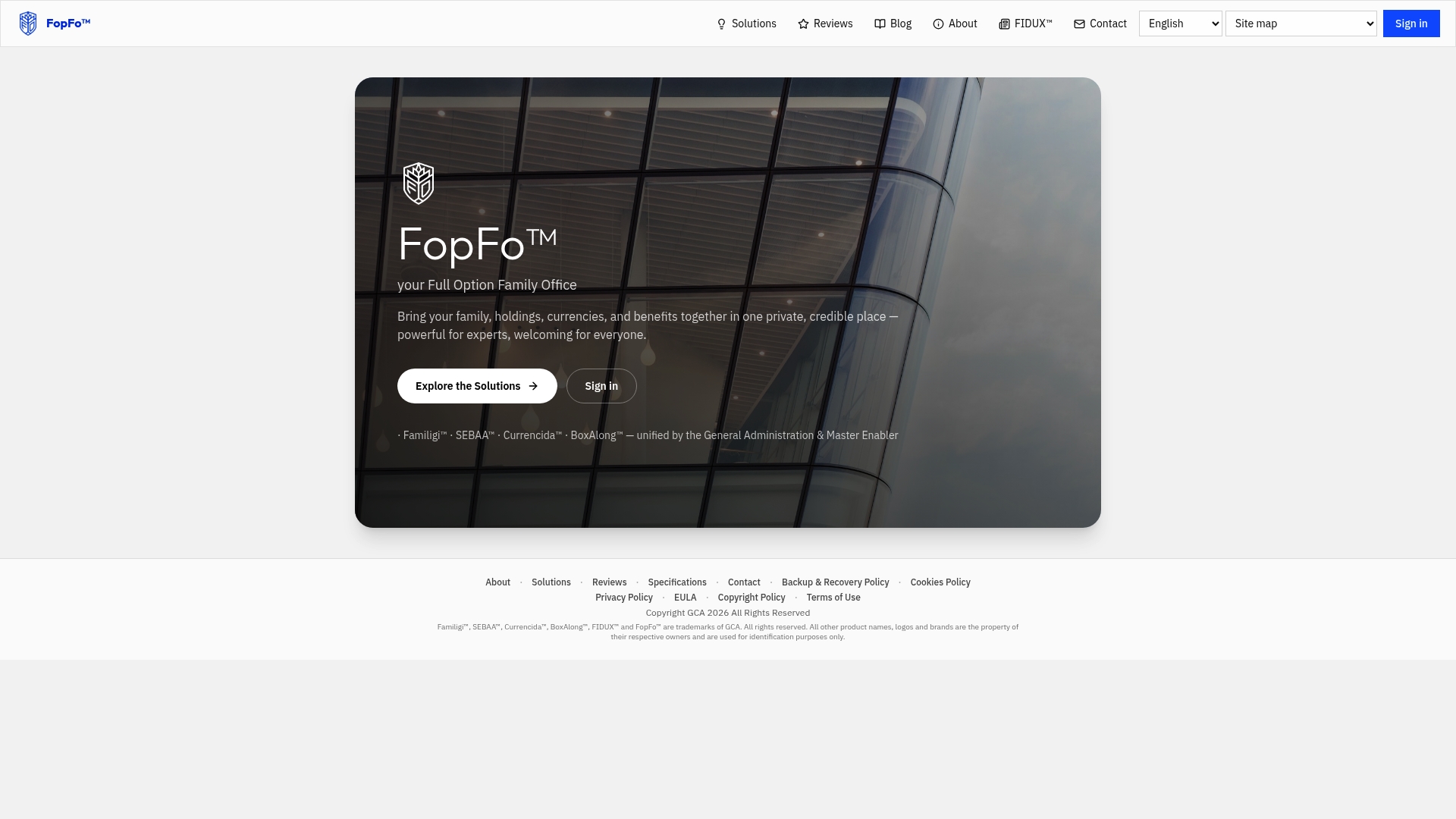
Your family’s financial documents, holdings data, and benefit records deserve more than a generic cloud folder. GCA-FopFo’s Full Option Family Office suite brings Familigi™, BoxAlong™, Currencida™, and SEBAA™ together in one platform with role-based access, MFA, activity/audit logging, and zero-knowledge encrypted backup/sync built in from the start.
Before you evaluate any platform, ask: What are your encryption standards? Do your audit logs capture per-user actions with timestamps? Where is my data hosted? GCA-FopFo answers with AES-256 at rest and TLS, timestamped activity/security logs, and clear hosting details (a configurable data-residency option and the formal encryption whitepaper are in progress).
Visit the Full Option Family Office platform to review the suite’s features and start your evaluation today.
Useful sources and further reading
-
Virtual Data Rooms for Deals, Fundraising, and Compliance - DocSend
-
Capsule — Share Sensitive Documents Securely
-
Set up secure file sharing and collaboration with Microsoft Teams
-
Share files and folders in OneDrive and SharePoint - Microsoft Support
-
How to Organize Your Financial and Banking Documents for Household Readiness in 2026
-
MSFT M365 groups (architecture PDF) - Microsoft Download
-
Use sensitivity labels to help classify and protect your organization’s data - Microsoft Support