

A valid restore test restores a backup into an isolated target, verifies critical records and application behavior, and records the elapsed recovery time. Run automated integrity checks on every backup, partial restores monthly, and full sandbox restores quarterly. Always validate integrity first: a corrupted archive wastes hours before you discover the restore was doomed from the start.
TL;DR:
- Automated checksum and manifest validation should be performed on every backup to detect corruption before restore attempts.
- Restores must be tested into isolated environments with blocked external connections to prevent unintended interactions with live systems.
- Quarterly full application restore drills are recommended for most systems, with monthly partial restores, and continuous checksum checks at every backup.
- Capture detailed verification results, recovery timestamps, and elapsed times in persistent logs to provide clear audit evidence.
- Database-specific restore procedures must follow their proper sequence to avoid restore failures unrelated to backup integrity.
Table of Contents
- What Does a Restore-From-Backups Test Actually Involve?
- What Integrity Checks Should You Run Before Restoring?
- How Do You Restore Safely Without Touching Production?
- How Should You Automate and Schedule Restore Tests?
- What Are the Database-Specific Restore Sequences to Know?
- How Do You Turn Restore Test Results Into Audit Evidence?
- Restore Testing and Audit Readiness
- An Integrated Alternative for Centralized Recordkeeping
- Authoritative Documentation and Tools to Consult
- Sources
- FAQ
What Does a Restore-From-Backups Test Actually Involve?
A restore test is not a green checkmark from your backup vendor. It's a documented drill that proves a backup can bring an application back to life inside a target time frame. That distinction shows up constantly in postmortems: a backup job reports success for months, then the one time it matters, the archive is unreadable or missing a table.
The playbook below breaks the drill into four phases: preflight, restore, verification, and teardown. Follow it in order and you'll have pass/fail evidence at the end, not just a hopeful assumption.
1. Preflight tasks
Pick the recovery point you're testing (last night's snapshot, a weekly full, whatever matches your retention policy). Write down 3 to 5 critical records or totals you can check after restore, such as an account balance, a row count, or a specific transaction ID. Set an RTO target before you start; without a number, "fast enough" is meaningless. Provision an isolated target now, not mid-restore.
2. Restore steps
Fetch the backup file from storage. Verify its checksum or manifest before touching it. Extract or restore into the isolated target. Apply transaction logs or write-ahead logs if the database requires point-in-time recovery.
3. Verification
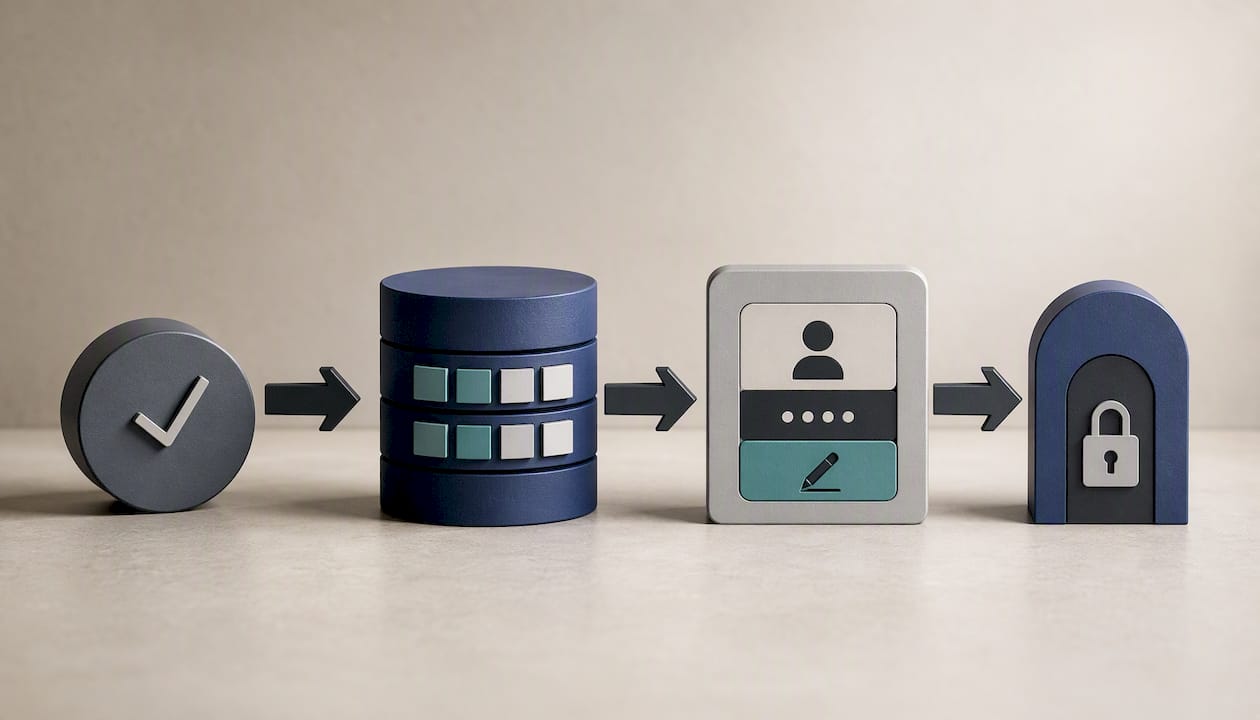
Confirm the restored system's recovery timestamp matches what you expected. Query for the critical rows and counts you wrote down in preflight. Boot a disposable copy of the application and run a login plus one write operation, with outbound side effects blocked. This last step matters more than most teams realize: a database restore can succeed while the application still fails to start because of a missing config value or an expired token.
4. Teardown and recordkeeping
Capture elapsed time from restore start to verified pass, note the job ID, save the logs, and record whether the run met your pass criteria. A restore drill that follows this structure proves four things at once: a recovery point exists, the backup contains what you need, the data can support the application, and the recovery time is tolerable.
- Choose the recovery point and write down critical records plus your RTO target.
- Provision an isolated restore target before fetching anything.
- Verify the archive's checksum or manifest.
- Restore the data and apply logs if applicable.
- Confirm timestamps, row counts, and run an app smoke test.
- Record elapsed time, job ID, and pass/fail status in your log.
Pro Tip: Write the restore script before you finalize the backup script. If you can't describe how you'd get the data back out, you don't actually know what you're backing up.
What Integrity Checks Should You Run Before Restoring?
Skip this step and you risk spending an hour restoring an archive that was truncated the moment it was written. Integrity verification has to happen before extraction, not after, because a failed restore tells you far less than a failed checksum does.
Start with the cheap checks. Compare the backup's stored SHA-256 value using sha256sum against what was recorded at backup time. Validate the archive's manifest, if one exists, to confirm every expected file or object is present. Confirm the archive is even readable: file size sanity checks catch a surprising number of failed uploads and truncated transfers.
Then reach for database-specific and vendor validators, since a hash match doesn't guarantee the database engine can actually parse the file:
- PostgreSQL: pg_verifybackup checks a base backup against its manifest and confirms WAL availability, though it stops short of a full test restore.
- Oracle: RMAN's
RESTORE ... VALIDATEandRESTORE ... PREVIEWcommands check availability and read backup contents without performing a real restore, per Oracle's RMAN recovery documentation. - SQL Server:
RESTORE ... VALIDATEverifies backup device readability before you commit to a full restore sequence. - VM and image backups: Veeam.Backup.Validator can validate VM restore points and produce a report without spinning up the full environment, according to Veeam's documentation.
Treat these as two separate tiers. Smoke checks, hash comparisons and manifest validation, run fast enough to execute on every single backup. Deeper validation, the kind that reads through actual data pages, costs more time and belongs on a periodic schedule instead.
Integrity verification must precede any restoration attempt, and Harness's guidance on disaster recovery testing makes the same point: catching corruption before restore saves the hours you'd otherwise burn discovering it the hard way. Log every verification result, pass or fail, with a timestamp. That log becomes your evidence trail the first time an auditor asks how you know your backups work.
How Do You Restore Safely Without Touching Production?
The fastest way to turn a routine test into an incident is restoring into an environment that can still talk to production systems. A restore test that fires a real payment webhook or sends a real customer email isn't a test anymore.
Provision a genuinely isolated target: a dedicated VM, a scratch container, or a throwaway cloud project with no network path back to production. Before you restore anything, confirm DNS resolution, outbound email, payment gateways, and webhook endpoints are either blocked or redirected to a sandbox equivalent.
- Spin up the isolated environment and confirm it has no route to production services.
- Load test credentials and secrets, never production ones, into the environment's configuration.
- Restore the backup data into that environment.
- Connect a disposable copy of the application pointed at the restored data.
- Run one critical read operation (a login, a dashboard load) and one write operation (a form submission, a record update), confirming neither reaches a live third-party system.
- List anything the backup didn't cover, such as object storage buckets or external API state, as a follow-up item.
Test credentials deserve their own emphasis. Reusing production API keys or database passwords inside a test environment means a misconfigured test can leak or corrupt real data. Generate throwaway secrets specifically for restore drills and rotate them out afterward.
Document what fell outside the backup's scope. Most backup jobs cover the database and maybe application config, but object storage, uploaded files, and third-party API state often live elsewhere. A restore test that ignores this gap gives you false confidence: the database comes back fine, but the application still can't render a single user's profile photo.
Pro Tip: Keep a running "not covered by this backup" list next to your restore log. It grows every time you add a new integration, and it's the single most useful document for planning your next disaster recovery exercise.
How Should You Automate and Schedule Restore Tests?
Manual restore drills work until the person who remembers how to run them changes teams. Automation is what makes restore testing survive turnover, and it's what turns a one-off exercise into documented backup restoration methods you can point to during an audit.
Match your automation intensity to the risk. Automated hash and manifest checks should run against every single backup, since they're cheap and catch most silent failures. Partial or full sandbox restores make sense monthly for most systems. Full application restore drills, the kind that boot a real disposable environment end to end, belong on a quarterly cadence unless your data is regulated or high-value, in which case tighten that interval.
- Cron or systemd timers for scheduled hash checks and lightweight manifest validation.
- CI pipelines that trigger a sandbox restore as part of a release or nightly build.
- Vendor-native scheduled restore testing, such as AWS Backup's restore testing feature, for cloud-native workloads.
- Manifest-driven verifiers, like backup-integrity-verifier, which can validate archives, optionally test-restore to a sandbox, and emit reports automatically.
| Restore test type | Recommended frequency | Typical tooling |
|---|---|---|
| Hash/manifest check | Every backup | sha256sum, manifest validators |
| Partial sandbox restore | Monthly | CI pipeline, scripted restore |
| Full application restore drill | Quarterly (or monthly for regulated data) | Cron/systemd, vendor restore-testing features |
Automated tools like backup-integrity-verifier can emit JSON or HTML reports and keep an append-only history in a local database, which matters the first time someone needs to prove a year's worth of tests actually happened. Wire failures into your alerting stack, a pager notification or a webhook to your incident channel, so a failed restore test gets the same urgency as a production outage.
None of this is free. Automation takes upfront engineering time to build and maintain, and a poorly maintained restore script can quietly stop working the same way a poorly maintained backup can. The trade-off still favors automation: manual restore testing drifts, gets skipped under deadline pressure, and rarely produces the audit trail a compliance review will ask for.
What Are the Database-Specific Restore Sequences to Know?
Generic restore advice breaks down fast once you're inside a specific database engine. Each one has its own sequence, and getting the order wrong is one of the most common ways a restore test fails for reasons that have nothing to do with backup quality.
- SQL Server: Under the full recovery model, restore the full backup, then any differential backup, then every subsequent transaction log backup in sequence, using
NORECOVERYuntil the final step andRECOVERYonly at the end. Point-in-time restores require an unbroken log chain, and the recovery model in use directly affects which restore operations are even possible. - PostgreSQL: Run pg_verifybackup against the base backup before restoring, confirm WAL segments are available for the recovery window you need, and use a
pg_waldumpversion that matches your PostgreSQL version when validating those segments. - Oracle/RMAN: Use
RESTORE ... VALIDATEorRESTORE ... PREVIEWto confirm backup availability before committing to a full restore. Understand where archived redo logs are staged, and useSET NEWNAMEwhen restoring datafiles to a different path than the original. - MySQL: Restore the full logical or physical dump first, then apply binary logs with
mysqlbinlogfor point-in-time recovery beyond the dump's timestamp. This only works if binary logs were preserved on storage separate from the primary data, a detail teams frequently discover is missing during their first real restore test.
One more cross-database trap: restoring a backup to an older engine version than the one that created it often triggers compatibility failures. Whenever possible, restore to the same version or newer, and verify engine compatibility explicitly before scheduling a cross-version restore test.
How Do You Turn Restore Test Results Into Audit Evidence?
A restore test that lives only in someone's memory is worthless to an auditor. Record enough detail per run that a person who wasn't there can reconstruct exactly what happened and when.
Capture, at minimum: the backup ID, its checksum, the recovery timestamp achieved, start and end times for calculating RTO, an RPO estimate based on the recovery point's age, the results of your verification queries, the operator who ran the test, and the runbook version they followed. It's also worth timing restore time and service recovery time separately, since raw data import can finish quickly while reconnecting credentials, object storage, and configuration to make the application functional takes considerably longer.
- Store results as machine-readable JSON or HTML reports, not just a spreadsheet someone updates inconsistently.
- Keep a local history database, SQLite works fine for most teams, so past runs stay searchable across months or years.
- When a test fails, log the failure and the fix in the same record, then update the runbook so the next operator doesn't repeat the same mistake.
- Feed recurring findings back into retention policy and RTO target decisions rather than treating each test as an isolated event.
This kind of documented, audit-ready evidence is exactly what regulated teams get asked to produce during compliance reviews, and it's far easier to hand over a searchable history than to reconstruct one from memory after the fact.
Restore Testing and Audit Readiness
Restore testing discipline is what separates a backup policy from a backup habit. For financial data, currency ledgers, transaction histories, benefit records, documented and repeatable verification isn't a formality. It's the evidence regulators and auditors expect to see when they ask how you know your records survive a failure.
— GCA
An Integrated Alternative for Centralized Recordkeeping
Restore drills, checksum logs, and quarterly audit reports all serve one goal: proving your records survive a failure and stay reconstructable. Running that discipline across scattered spreadsheets and disconnected backup jobs gets harder every year a family's holdings grow. GCA-FopFo takes a different approach by keeping currencies, holdings, and benefit records inside one platform built around data ownership and export, so the audit trail you're testing for already lives in a structured, exportable format.

The platform's four applications, including Currencida™ for currency tracking across physical, virtual, and crypto accounts and BoxAlong™ for holdings management, are built for full data ownership and export rather than locking records inside a proprietary format you'd struggle to restore from later. Support spans 15 languages, including right-to-left scripts, so multi-generational families and their advisors work from the same private, auditable source regardless of location. The platform is offered with a one-time license per application or as a suite, plus an annual per account fee for support, updates, and the newsletter; current prices are detailed on the pricing page. If your family office is ready to consolidate recordkeeping into a platform designed for auditability from the ground up, explore the solutions and see which application fits your holdings first.
Authoritative Documentation and Tools to Consult
- pg_verifybackup — PostgreSQL documentation for base-backup and WAL validation.
- Restore and recovery overview — Microsoft Docs for SQL Server recovery models.
- RMAN complete database recovery — Oracle Docs for validate/preview workflows.
- Veeam Backup Validator documentation for VM restore-point validation.
- backup-integrity-verifier on GitHub for manifest-driven, audit-ready reporting.
- Business continuity planning and BIA guidance for connecting restore testing to RTO/RPO planning.
Sources
- pg_verifybackup — PostgreSQL documentation (2026-07-16)
- Restore and recovery overview (SQL Server) — Microsoft Docs
- How to Test Your Backups: An 8-Step Restore Drill — AxonBuild
FAQ
How Do You Test That a Backup Can Actually Restore?
Restore the backup into an isolated environment separate from production, then verify critical records, row counts, and application behavior against what you expected. A proper restore drill also times the process so you know your actual recovery speed, not just whether the restore technically completed.
Will You Lose Data When Restoring From a Backup?
You'll lose any changes made after the backup's recovery point, which is why your RPO estimate matters. Applying transaction logs or binary logs after the base restore, where your database supports it, can shrink that gap significantly for point-in-time recovery.
How Do You Restore Data From a Backup File?
Verify the file's checksum or manifest first, then extract or restore it into your target environment using the method appropriate to that backup format. Database backups typically need additional steps, like applying logs or running a database-specific restore command, rather than a simple file copy.
What's a Good Practice for a Test Restore of Your Backup?
Always restore into an isolated target with side effects like outbound emails and payment calls blocked, and confirm both the data and the application function correctly, not just that the restore process finished. Recording the run, backup ID, timestamps, pass/fail status, in a persistent log turns a one-off test into evidence you can produce later.