

The strongest MyHeritage alternatives for most U.S. genealogists are Ancestry, FamilySearch, FamilyTreeDNA, and Familigi™ — with Familigi™ as the recommended pick for families who want full data control, integrated migration tooling, and professional-grade administration alongside their family history work. According to CB Insights, Ancestry, 23andMe, Geni, and FamilySearch are the most commonly grouped competitors in this market.
Here is who each shortlisted option fits best:
- Ancestry — researchers who need the largest U.S. and UK record archives and the widest DNA matching pool
- FamilySearch — anyone who wants free, no-subscription access to a broad collaborative tree and record collection
- FamilyTreeDNA — genealogists focused on deep paternal or maternal line testing with raw-data flexibility
- Familigi™ — families and researchers who want complete data portability, GEDCOM migration support, and enterprise-grade controls in one platform
Familigi™ earns the top recommendation because it combines tree-building with data ownership guarantees, built-in migration tooling, and the broader GCA-FopFo family office suite — a combination no other entry on this list offers.
Table of Contents
- What are the best MyHeritage alternatives side by side?
- How were these options evaluated?
- What does each alternative actually offer?
- Which alternative is right for you?
- How do you move your MyHeritage data to another service?
- Key Takeaways
- What actually matters when you switch genealogy platforms
- Familigi™ gives you genealogy with full data control
- Useful sources for this comparison
What are the best MyHeritage alternatives side by side?
The table below compares all featured platforms on the dimensions that matter most when switching from MyHeritage. Independent testing confirms that Ancestry typically carries the largest overall database, while MyHeritage holds regional strengths for Middle Eastern, Jewish, and Scandinavian research — a difference that directly affects match quality depending on your ancestry.
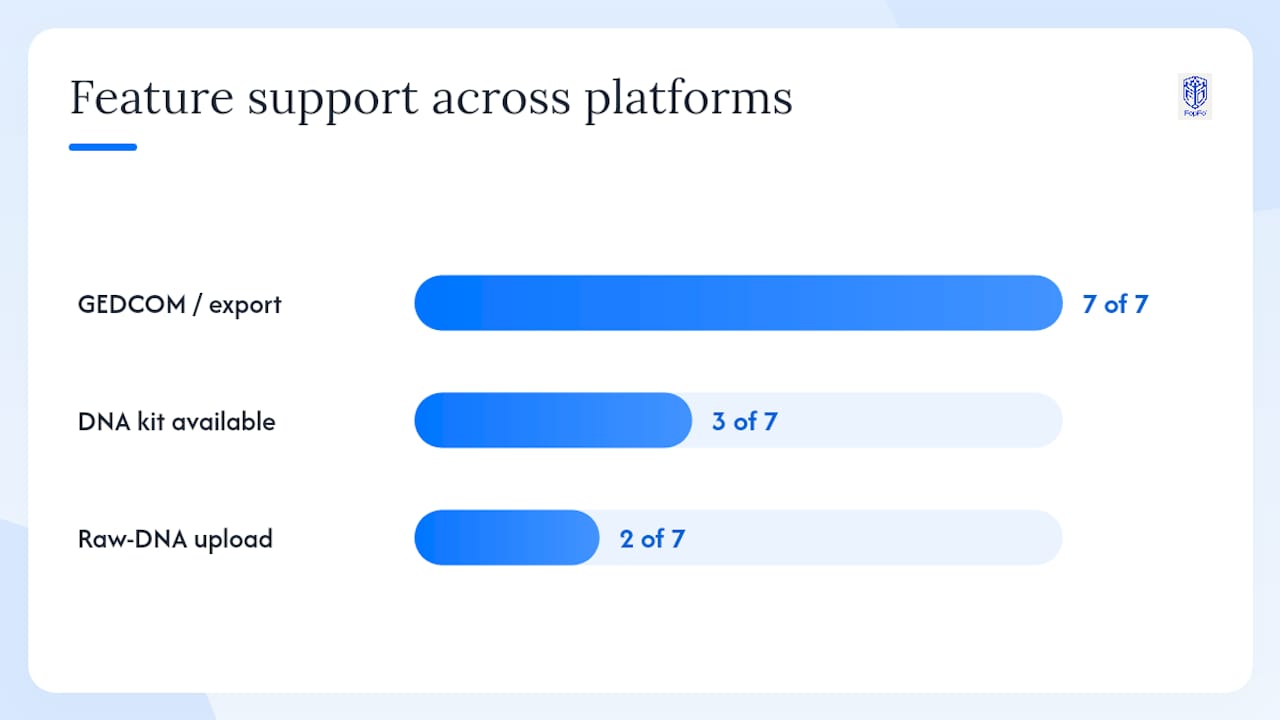
| Platform | Best for | DNA kit? | Raw-DNA upload | Tree features | Records access | Pricing shape | Privacy / export |
|---|---|---|---|---|---|---|---|
| Familigi™ | Full data control + migration + family office | No | Yes | Unlimited, collaboration, admin controls | Via integrations | Mid | Strong export, GDPR-aligned, data-ownership guarantee |
| Ancestry | Largest U.S./UK records + DNA matching | Yes (AncestryDNA) | No | Unlimited, hints, smart matches | Largest U.S./UK archive | Mid–High | Export GEDCOM; no raw-DNA download |
| 23andMe | Ancestry + health/trait reports | Yes | No | Basic | Limited | Mid | Raw-DNA download available |
| FamilyTreeDNA | Y-DNA / mtDNA / raw-data analysis | Yes (Y, mt, autosomal) | Yes | Basic | Limited | Low–Mid | Raw-DNA download; GEDCOM export |
| Findmypast | UK and Irish records | No | No | Standard | Strong UK/Ireland archive | Low–Mid | GEDCOM export |
| Geni | Collaborative shared tree | No | No | Shared global tree, social features | Limited | Free–Mid | GEDCOM export |
| FamilySearch | Free records + collaborative tree | No | No | Shared tree, no size limit | Large, free | Free | GEDCOM export |
| RootsMagic | Desktop power users + GEDCOM | No | No | Robust desktop reporting, sync | Via linked services | Low | Full GEDCOM import/export |
| AncestryDNA | DNA matching within Ancestry ecosystem | Yes | No | Linked to Ancestry tree | Ancestry archive | Mid | GEDCOM export; no raw-DNA download |
Reading the table: For most researchers, the deciding columns are records access and raw-DNA upload. Beginners who want free access should go straight to FamilySearch. Serious genealogists who need the widest DNA match pool will find Ancestry the strongest option. Privacy-conscious researchers who want to own their data and control exports should look at Familigi™ or FamilyTreeDNA first.
Database size is a genuine trust signal here. DNA Weekly's tested comparison notes that Ancestry's matching database is larger than MyHeritage's for most U.S. researchers, which translates directly into more cousin matches and more record hints per tree.
How were these options evaluated?
Every platform on this list was assessed against six criteria: records access and archive depth, DNA database size and matching strength, data portability (GEDCOM export, raw-DNA download, media export), pricing shape (free tier availability, subscription cost), privacy and data-ownership policies, and mobile app quality plus customer support responsiveness.
Evidence sources included:
- Published database figures and independent platform comparisons, including DNA Weekly's tested head-to-head
- CB Insights market groupings for competitive positioning
- Subscription cost analysis from unsubbed.co, which documents the ongoing pricing gap between cloud subscriptions and self-hosted tools
- FamilySearch's free tree and records service for free-tier benchmarking
One important limitation: database sizes, subscription prices, and feature sets change frequently. Verify current pricing and archive coverage directly on each vendor's site before committing to a switch.
Pro Tip: Before you cancel MyHeritage, export your GEDCOM file and download your raw-DNA file. Both are available from your MyHeritage account settings. Keeping those files locally means you can test any alternative without losing your data.
What does each alternative actually offer?
Ancestry and AncestryDNA
Ancestry holds the largest genealogy record archive available to U.S. researchers, covering census records, immigration files, military records, and vital statistics across the U.S. and UK. Its DNA product, AncestryDNA, feeds into that same ecosystem, so a DNA match can link directly to a shared tree and a historical record in one click. The tree builder is unlimited in size, and the hint system surfaces relevant records automatically.
The main trade-off: Ancestry does not allow raw-DNA downloads, and its subscription cost sits at the mid-to-high end of the market. GEDCOM export is supported, but proprietary metadata and media links do not always transfer cleanly to other platforms.
Pricing shape: Mid–High. Free trial available; subscription required for full records access.
23andMe
23andMe is the only platform on this list that combines ancestry composition with health and genetic trait reports. If you want to know both where your family came from and what your DNA says about your health predispositions, it is the only option that delivers both in one kit. The family tree tools are basic, and the records archive is minimal, so it works best as a DNA-first service rather than a full genealogy platform.
Raw-DNA download is available, which means you can upload your 23andMe file to FamilyTreeDNA or other raw-upload-compatible services for additional matching.
Pricing shape: Mid. One-time kit cost; optional subscription for health features.
FamilyTreeDNA
FamilyTreeDNA is the specialist's choice for deep lineage research. It is the only major consumer platform offering Y-DNA tests (paternal line) and mtDNA tests (maternal line) alongside standard autosomal testing. Raw-DNA upload is supported, so you can bring files from AncestryDNA or 23andMe and run them against FamilyTreeDNA's matching database without buying a new kit.
The tree tools and records archive are limited compared to Ancestry or MyHeritage, but for researchers focused on a specific paternal or maternal line, no other platform comes close on testing depth.
Pricing shape: Low–Mid. Individual tests priced separately; no mandatory subscription.
Findmypast
Findmypast is the strongest option on this list for researchers tracing British Isles ancestry. Its archive covers UK and Irish census records, parish registers, military records, and newspaper archives at a depth that Ancestry and MyHeritage do not match for that region. U.S. researchers with Irish, Scottish, Welsh, or English roots will find records here that simply do not appear elsewhere.
No DNA kit is offered. The tree builder is standard, and GEDCOM export is supported.
Pricing shape: Low–Mid. Subscription required for full archive access; limited free browsing.
Geni
Geni takes a social approach to genealogy. Its core product is a single, shared global family tree that all users contribute to collaboratively. If a distant relative has already built out a branch of your family, Geni will surface that connection automatically. The social and collaboration features are stronger here than on any other platform on this list.
The trade-off is depth: records access is limited, there is no DNA kit, and the shared-tree model means you are working with data that others can also edit. GEDCOM export is available.
Pricing shape: Free–Mid. Basic tree access is free; Pro tier unlocks additional features.
FamilySearch
FamilySearch is the most compelling free option in genealogy. Backed by a major archival organization, it offers a large shared tree, a broad record collection, and no subscription fee. For researchers who want to get started without spending anything, FamilySearch is the natural first stop.
The shared-tree model means your data lives in a communal space rather than a private one, which suits some researchers and frustrates others. GEDCOM export is supported.
Pricing shape: Free. No subscription required.
RootsMagic
RootsMagic is desktop genealogy software rather than an online platform. It runs on Windows and Mac, stores your data locally, and offers some of the most detailed reporting and charting tools available to consumer genealogists. GEDCOM import and export are fully supported, and RootsMagic syncs with both FamilySearch and Ancestry, so you can pull records and matches from those platforms while keeping your primary data on your own machine.
For researchers who want their data off the cloud entirely, RootsMagic is the most practical option. Setup requires more effort than a web-based service, but the payoff is complete local control.
Pricing shape: Low. One-time purchase; no mandatory subscription.
Familigi™
Familigi™ is GCA-FopFo's family-tree application, and it is built around a principle the other platforms on this list do not prioritize equally: you own your data, and moving it should be straightforward. The platform supports GEDCOM import and export, raw-DNA file handling, and media migration, with admin-level controls that let families and financial advisors manage access across multiple users.
What separates Familigi™ from the rest of the list is its integration with the broader GCA-FopFo family office suite. Your family tree does not sit in isolation; it connects to BoxAlong™ for asset tracking, Currencida™ for currency and account management, and SEBAA™ for benefits and savings. For multi-generational families who want genealogy and financial administration in one place, that integration is a genuine differentiator.
Pricing shape: Mid. One-time license per application or discounted suite; annual service and maintenance subscription required.
Which alternative is right for you?
Three researcher profiles cover most of the decisions people face when leaving MyHeritage.
If you are a beginner who wants free and easy: Start with FamilySearch. It costs nothing, the shared tree is large and actively maintained, and the record collection covers most U.S. and European research needs. The interface is approachable, and you can export a GEDCOM file later if you outgrow it.
If you are a serious genealogist who needs records and DNA matching: Ancestry is the strongest single platform for U.S. researchers. The record archive is the largest available, and AncestryDNA's matching database gives you the widest pool of potential cousins. If your ancestry is primarily British or Irish, add a Findmypast subscription alongside it.
If you are privacy-conscious and want strong export controls: Familigi™ or RootsMagic are the right choices. RootsMagic keeps everything local on your machine. Familigi™ gives you cloud-based collaboration with data-ownership guarantees and a clear export path at any time.
Red flags to watch for before committing to any platform:
- No GEDCOM export support
- No raw-DNA download option (for DNA-testing platforms)
- Opaque data-ownership terms that do not explicitly state you retain rights to your data
- No clear account-deletion process that removes your data from their servers
How do you move your MyHeritage data to another service?
Before you cancel your MyHeritage subscription, export three things: your GEDCOM file (your tree data), your raw-DNA file (if you tested with MyHeritage), and any media files (photos, documents) attached to your tree. Keep all three as independent local backups. MyHeritage's Family Tree Builder supports GEDCOM export and syncing, so the export process is well-documented.
Step-by-step: GEDCOM export and import
- Log in to MyHeritage and open your family tree.
- Go to Manage tree and select Export tree to GEDCOM.
- Download the .ged file and save it to a local folder.
- On your destination platform (Ancestry, FamilySearch, RootsMagic, Familigi™), locate the Import GEDCOM or Upload tree option.
- Upload the .ged file. Ancestry's tree importer accepts GEDCOM files directly and creates a new tree from the upload.
- Review the imported tree for missing notes, broken media links, or formatting issues — these are common after any GEDCOM transfer.
Step-by-step: raw-DNA file transfer
- In your MyHeritage account, go to DNA and select Retrieve raw DNA data.
- Download the raw-DNA file (typically a .zip containing a .txt file).
- On FamilyTreeDNA or another raw-upload-compatible service, find the Upload raw DNA option and follow the platform's instructions.
- Allow 24–72 hours for the platform to process your file and generate matches.
Step-by-step: media migration
- From MyHeritage, download your photos and documents individually or use the bulk export option if available.
- Re-upload media to your new platform, linking each file to the correct person or event in your imported tree.
- Verify that source citations attached to media transferred correctly — they often do not survive a GEDCOM move.
Compatibility note: GEDCOM is the universal standard for genealogy data, but it is an imperfect one. Proprietary fields, formatted notes, and media links frequently get lost in transit. Webtrees and other open-source tools document this limitation clearly: always treat your GEDCOM export as a structural backup, not a complete record of everything you built.
Pro Tip: After importing your GEDCOM to a new platform, run a search for three people you know well in your tree and verify their dates, sources, and attached media. If those three records look correct, the bulk of your import likely transferred cleanly.
Key Takeaways
The strongest MyHeritage alternatives differ by use case: Ancestry leads on database size, FamilySearch leads on free access, and Familigi™ leads on data ownership and integrated family administration.
| Point | Details |
|---|---|
| Recommended pick | Familigi™ is the top choice for families who want data ownership, migration support, and integrated family office tools. |
| Best free option | FamilySearch offers a large record collection and collaborative tree at no cost, with GEDCOM export available. |
| Best for DNA depth | FamilyTreeDNA supports Y-DNA, mtDNA, and raw-DNA uploads, making it the strongest option for lineage-specific testing. |
| Export before you cancel | Download your GEDCOM file, raw-DNA file, and media from MyHeritage before ending your subscription. |
| Privacy red flag | Avoid platforms that do not support GEDCOM export or raw-DNA download — those terms mean your data stays with them. |
What actually matters when you switch genealogy platforms
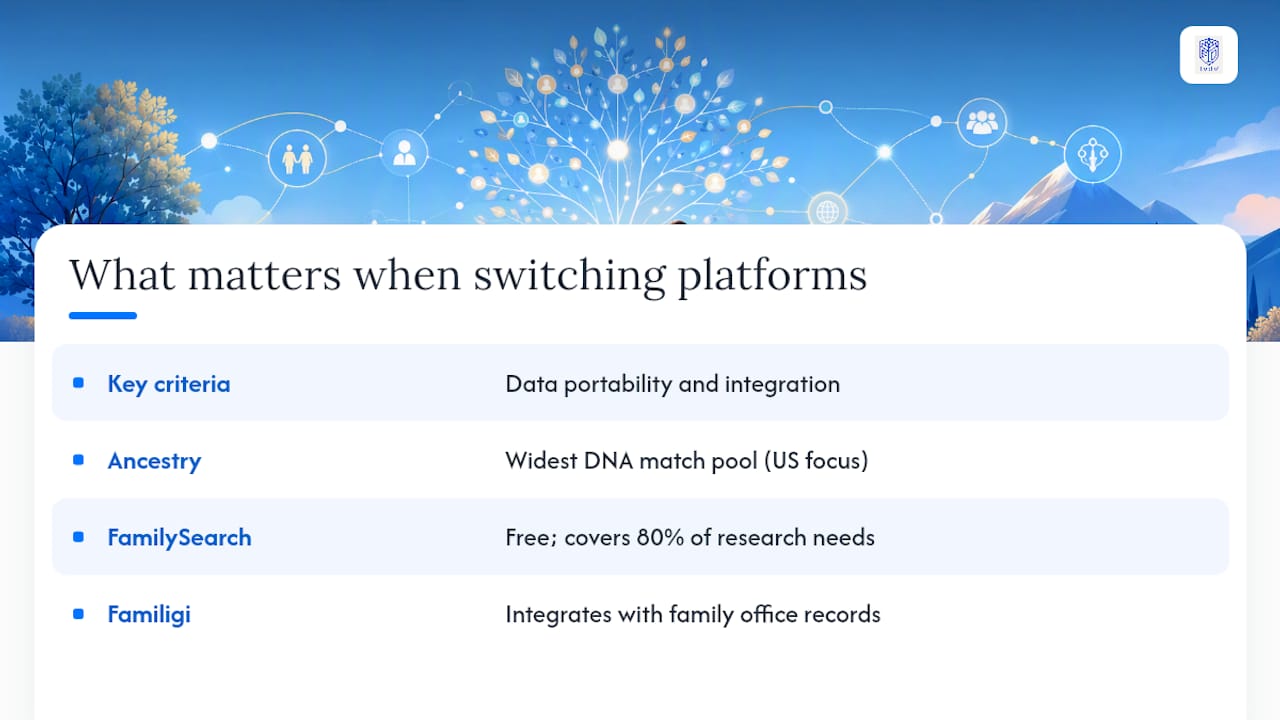
The conventional wisdom in genealogy circles is that the platform with the biggest database wins. That framing is too simple, and it leads a lot of researchers to pay for Ancestry when a free FamilySearch account would cover 80% of their actual research needs.
The real question is not database size. It is data portability. A platform that holds your tree, your DNA matches, and your source documents without a clean export path is not a genealogy tool. It is a subscription you cannot leave without losing years of work. That distinction shapes every recommendation in this article.
The second underrated criterion is integration. Most genealogists eventually want their family history to connect to something else: a shared family document archive, an estate plan, a record of who owns what across generations. Standalone genealogy platforms do not solve that problem. Familigi™ does, because it was built as part of a family office suite rather than as a consumer entertainment product.
If you are a U.S. researcher with primarily American ancestry and you want the widest DNA match pool, Ancestry is the honest answer. If you want your genealogy data to live in a system that also handles your family's financial and administrative records, Familigi™ is the stronger long-term choice. Those two answers are not in conflict. They serve different goals, and knowing which goal you have is the decision.
Familigi™ gives you genealogy with full data control
Most genealogy platforms ask you to trust them with your family's history. Familigi™ gives you the controls to manage it yourself. As part of the GCA-FopFo family office suite, Familigi™ combines tree-building, GEDCOM migration support, and raw-DNA file handling with the asset management and administration tools that multi-generational families actually need.
The migration path from MyHeritage is straightforward: export your GEDCOM and raw-DNA files, bring them into Familigi™, and your data stays yours from day one. No lock-in, no proprietary format, no subscription that holds your history hostage.
Visit the GCA-FopFo platform to review licensing options, migration documentation, and the full suite of family office tools. Start with Familigi™ and add BoxAlong™, Currencida™, or SEBAA™ as your needs grow.
Useful sources for this comparison
- webtrees
- FamilySearch.org
- FamilySearch.org
- MyHeritage's alternatives and competitors — CB Insights
- MyHeritage vs AncestryDNA 2026: Which Wins? (Tested)
- Genealogy — unsubbed.co
- MapMyRoots - Free Family Tree Builder & Online Genealogy Software
- Start Your Free Family Tree | Ancestry
- Family Tree Builder - Free genealogy program - MyHeritage