
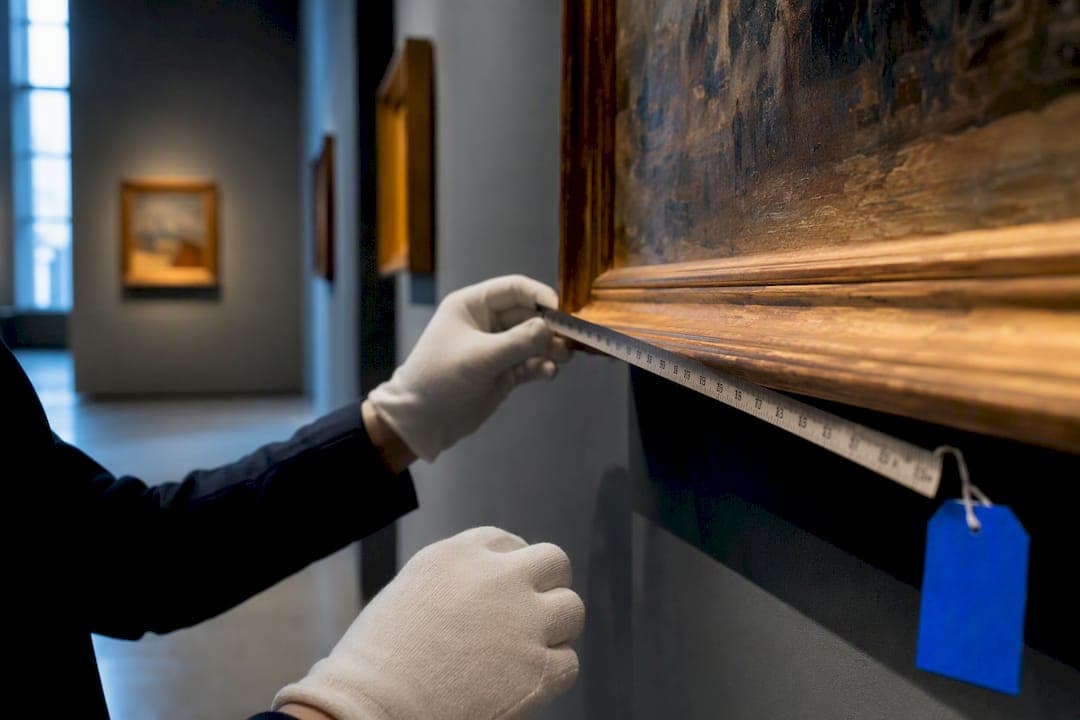
A centralized inventory database, not a spreadsheet, is the practical way to protect, value, and operate your art collection. A structured system gives you defensible documentation for insurance and appraisals, and it cuts the hours you'd otherwise spend hunting for invoices or condition notes. The checklist below shows exactly what to build and how.
TL;DR:
- Ensuring all records include certificates, condition reports with dated photos, provenance documents, valuation history, and insurance schedules is essential for comprehensive inventory management.
- Automation tools like AI-driven metadata extraction can significantly speed up data entry but require human verification before finalizing records.
- Large collections need role-based access and audit trails, while small collections can operate with simpler templates and fewer features.
- Regular updates on valuations, condition, and location are more important than initial setup accuracy for long-term usefulness.
- Exportability, data ownership, and secure backups are critical when selecting an inventory system, preventing vendor lock-in and safeguarding data integrity.
Table of Contents
- What Should an Art Collection Inventory Include?
- Which Features Matter for Your Type of Collection?
- How Do You Build or Audit an Art Inventory Step by Step?
- How Do You Choose the Right Art Inventory System?
- What Mistakes Undermine Long-Term Art Inventory Management?
- How Does Art Inventory Fit Into Family-Office Reporting?
- What Most Collectors Get Wrong About Inventory Management
- See How GCA-FopFo Connects Art Records to Your Full Portfolio
- Sources
What Should an Art Collection Inventory Include?
Every record needs the fields an insurer, appraiser, or heir would ask for on short notice: title, artist, medium, dimensions, edition number, acquisition date and price, provenance chain, current location, and current valuation. Miss one field and you're stuck reconstructing history from memory during a claim or a sale, which is exactly when memory fails you.
Purpose-built systems centralize these fields alongside the documents that back them up, something spreadsheets can't reliably manage at scale. High-resolution images matter more than most collectors assume: you need overall shots, detail shots of signatures and edges, and dated condition photos that show a work's state at intake, not just its state today.
A working record should store:
- Certificates of authenticity and invoices tied directly to each object
- Condition reports with dated photos, updated after every move or loan
- Provenance documents: prior ownership, exhibition history, gallery receipts
- Valuation history, not just a single current number, so trends are visible
- Insurance schedules and appraisal letters, ready to export on demand
Automation is changing how fast this data gets entered. AI-driven metadata extraction can cut manual cataloging time dramatically by parsing images and paperwork to auto-fill fields, though a human should still verify the results before they go into an insurance file.
Which Features Matter for Your Type of Collection?
Feature priorities shift depending on why you're collecting and who else touches your records. An artist tracking a growing studio practice needs different tools than a family holding heirloom pieces across three generations.
- Artists: prioritize portfolio organization, edition and print-run tracking, consignment status, and sales history by gallery or buyer.
- Private collectors: prioritize provenance depth, valuation history, and insurance-ready reports you can hand to an appraiser without extra formatting.
- Galleries and organizations: prioritize loan and exhibition tracking, condition-report workflows, and multi-user permissions so registrars, directors, and outside conservators see only what they need.
Feature needs scale with collection size. A personal collection that is relatively small can run on a lean template with a basic set of fields. Larger collections, or those spread across multiple households or storage sites, need role-based access and audit trails so you know who changed what and when.
How Do You Build or Audit an Art Inventory Step by Step?
Whether you're starting from zero or cleaning up years of scattered files, the sequence is the same. Work through it in order rather than jumping to the parts that feel easiest.
- Define scope and ownership. Decide which pieces count, who is responsible for updates, and who has final say on valuation entries.
- Set naming conventions and inventory numbers. Assign a permanent inventory number to every piece before you photograph or file anything else, following the standard numbering and photography conventions galleries have used for decades.
- Photograph each piece. Capture a full front view, a detail shot of the signature, and any damage or wear, all under consistent lighting.
- Attach documentation. Upload the invoice, certificate of authenticity, and any prior condition reports to that object's record.
- Record provenance and valuation. Log acquisition source, price, and every appraisal since, not just the most recent figure.
- Log location, loans, and condition. Note current physical location, any outstanding loans, and schedule recurring condition checks.
- Migrate old records. Export existing data to a single CSV, map fields to your new template, import a small test batch, then bulk-import the rest with images.
- Lock down backups and permissions. Set automatic backups, define who can edit versus view, and build a simple export plan for insurers or heirs.
Pro Tip: Run your CSV migration in two passes. Import a test batch of five to ten pieces first, check that every field landed correctly, then run the full import. Catching a mapping error early saves you from re-entering hundreds of records later.
How Do You Choose the Right Art Inventory System?
Evaluate any system, whether you buy it or build it internally, against the same seven axes: data model flexibility, image storage limits, backup frequency, permission granularity, report templates, migration support, and pricing that scales with your collection rather than penalizing growth.
Ask vendors directly:
- Can you export everything, including images, in an open format if you leave?
- What's the actual process for migrating from Excel or a legacy database?
- Who can see valuation data, and can permissions be set per user or per role?
- How often are backups run, and where are they stored?
- Does the reporting module generate insurance and loan documents natively, or do you need to reformat manually?
A system that locks your data behind a proprietary format, or offers no real migration path, is a warning sign no matter how polished the interface looks. Exportability should be a baseline requirement, not a premium feature.
Red flags include vague answers about data ownership, no mention of encryption or backup cadence, and pricing that jumps sharply once you cross an arbitrary piece count. Budget-wise, expect a real gap between free spreadsheet templates and licensed database software. That gap buys you condition-report workflows, multi-user permissions, and audit trails spreadsheets simply don't offer.
What Mistakes Undermine Long-Term Art Inventory Management?
The most common failure is fragmentation: invoices in one email folder, condition photos on a phone, valuations in a separate spreadsheet nobody updates. Centralize everything in one system from day one.
- Skipping a naming convention early, which forces a painful renumbering project later.
- Treating valuations as a one-time entry instead of scheduling periodic reviews.
- Storing documents locally instead of in a backed-up, shareable system.
- Skipping physical labeling, when QR or barcode tags on frames or storage crates make audits far faster.
Pro Tip: If your collection is small, don't overbuild. Start with a minimal template covering the core fields, then add columns or modules only when a specific reporting need, like an insurance renewal, actually demands them.
How Does Art Inventory Fit Into Family-Office Reporting?
Art rarely sits in isolation on a family balance sheet. When inventory records feed into broader reporting, acquisition cost, valuation history, and provenance combine into one reliable snapshot that supports insurance renewals, estate filings, and tax reporting without a scramble.
That kind of consolidation matters most when art sits alongside other illiquid holdings, emphasizing the importance of a structured system as explained in the Industrial Property Investment Analyzer. The same discipline applies to jewelry and other high-value personal assets, and both benefit from being visualized inside a wider asset allocation view rather than tracked in isolation.
A few practical connections worth building:
- Link valuation updates to your illiquid asset valuation process so art gets reviewed on the same cycle as other hard-to-price holdings.
- Feed condition and location changes into scheduled reminders rather than relying on memory.
- Keep insurance and appraisal documents exportable so advisors can pull them without a separate request.
What Most Collectors Get Wrong About Inventory Management
Most advice on this topic treats art inventory as a cataloging exercise: photograph the piece, jot down the artist and title, move on. That undersells what a good record actually needs to do. An inventory entry isn't just a description; it's evidence, and evidence only holds up if it's structured the way an insurer or estate attorney expects to see it.
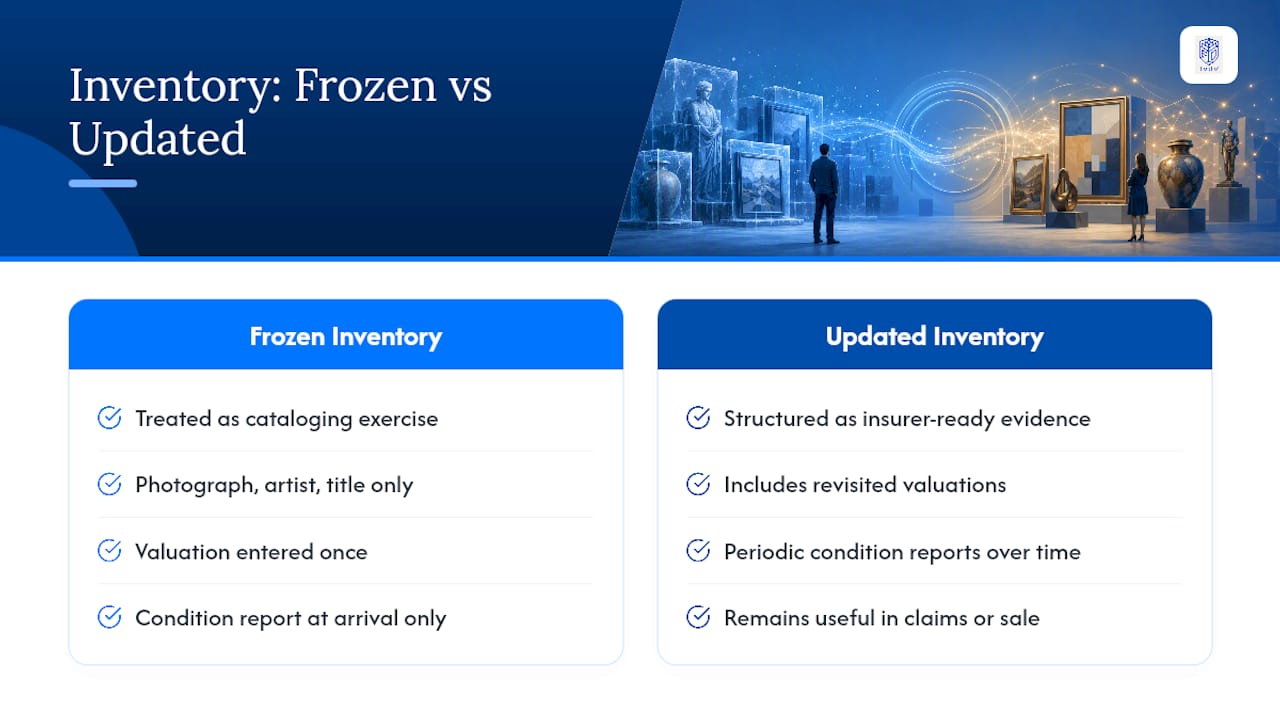
The bigger gap is that collectors document acquisition and then stop. Valuations get entered once and never revisited. Condition reports exist for the day a piece arrived, not for the years since. That's backwards. A collection's value and condition change, and an inventory that doesn't change with it stops being useful right when you need it most, during a claim, a sale, or an estate settlement.
If you take one thing from this, prioritize the update cycle over the initial setup. A mediocre inventory that gets reviewed twice a year beats a perfect one that's frozen the day you built it.
— GCA
See How GCA-FopFo Connects Art Records to Your Full Portfolio
Art collectors juggling separate files for invoices, appraisals, and insurance forms eventually hit the same wall: none of it talks to the rest of their financial picture. A family office software application can bring holdings like art into the same view as your other assets, so a valuation update doesn't live in a folder disconnected from your broader reporting.
If you've worked through the audit checklist above, you likely already have a CSV of your pieces ready to move. That's the exact starting point BoxAlong™ is built for: import your records, attach your documentation, and see your art sitting alongside your other holdings instead of off to the side. Explore the Full Option Family Office platform and take the next step toward one consolidated view of everything your family owns.
Sources
- Soutron: Soutron Global transforms manual cataloging with AI-driven metadata extraction
- Choosing an Artwork Inventory System — Joan Mitchell Foundation
- 10 Tips to Manage Your Art Inventory — ArtButler
- Three estate planning options for your art collection — Pierro Law